 Site Connect
Connect the office
to every job site
Projects, check-in, schedule, safety forms, tasks, approvals and chat in one workspace — so the office and the crew are finally looking at the same day.
No credit card Every module switched on No sales call
Everything the operational side of a company needs
Your team is not at a desk.
Your systems are.
Hours arrive on paper. The schedule lives in a spreadsheet somebody keeps re-sending. Safety forms sit in a folder nobody opens until an inspector asks. Approvals happen in chat and get lost.
Hours you can trust
Crews check in from their phone at the job site. Every check-in records where the phone was and how far that is from the project address — so "I was there" is a fact, not an argument.
A schedule people can see
Build the week on one board, copy last week in one click, and publish it to phones. Leave a slot open and your crew can take it from the app.
Proof, filed automatically
Hazard assessments, toolbox talks, PPE checks and equipment inspections are filled in at check-in or check-out and stored with the visit — with the version of the form that was actually used.
Every module. One login. One bill.
They share the same people and the same permissions — so a project, a schedule, a form, a task and an approval all describe the same day.
Time clock & check-in
GPS check-in at the project address, an optional daily clock-in, and corrections that leave an approval trail instead of a quiet edit.
How it works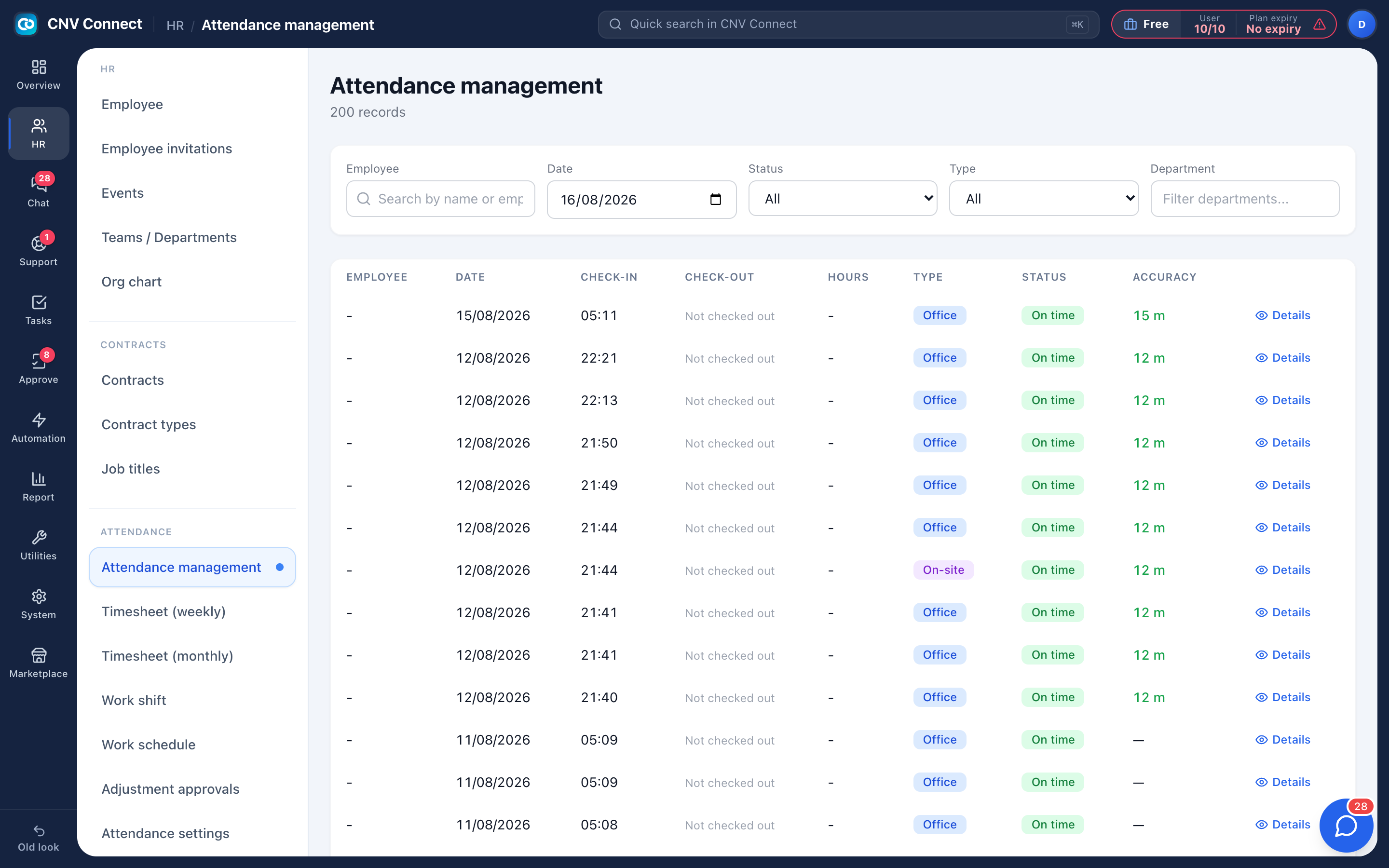
Scheduling
Build the week on one board, copy last week when the pattern holds, run the pre-publish check, and publish open slots your crew can take from the app.
How it worksProjects & job sites
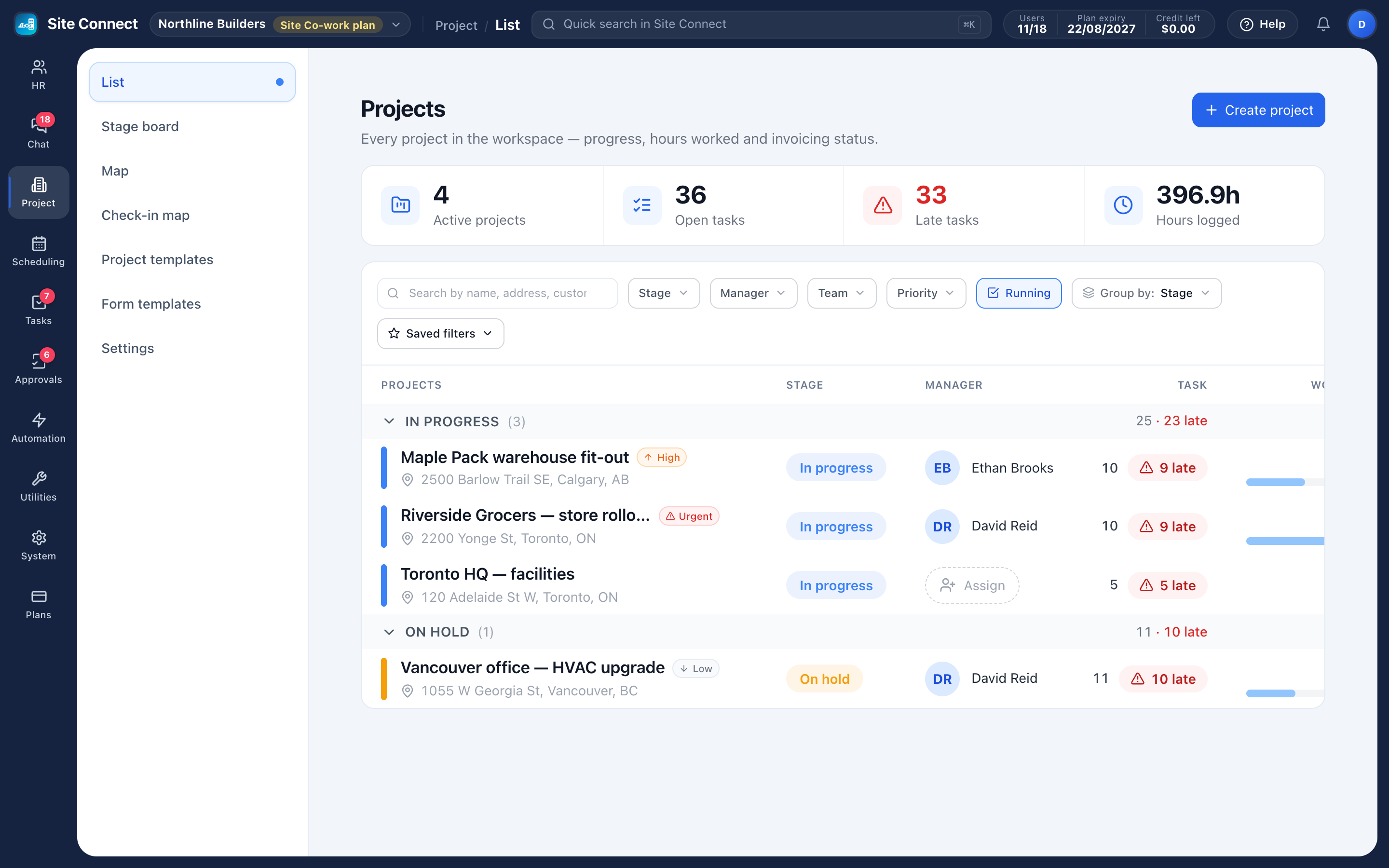
Every job site as a project: address, team, stage, tasks, hours, photos and the money side of the job.
Forms & checklists
Forms crews fill in when they check in to or out of a task — required items come before the timer starts.
Task management
List, kanban, gantt, calendar and workload views over the same tasks, with subtasks, photos and files.
Approvals
Design a request form, route it through the right signatures, keep the audit trail.
Team chat
Groups, direct messages, files and pinned notices, with a company-wide group kept in sync.
People & HR
Employee records, contracts and renewals, org chart, leave requests and yearly balances.
Assets & equipment
What you own, who holds it, handover and return with condition — plus the online accounts and subscriptions you pay for.
Automation
"When this happens, do that" — send a chat notification or create a task, without anyone remembering to.
The mobile app is the product for everyone who is not at a desk
Check in, fill the form, take photos and voice notes, take an open task, approve the request — iOS and Android, included in every plan.
See the appCheck-in you do not have to police
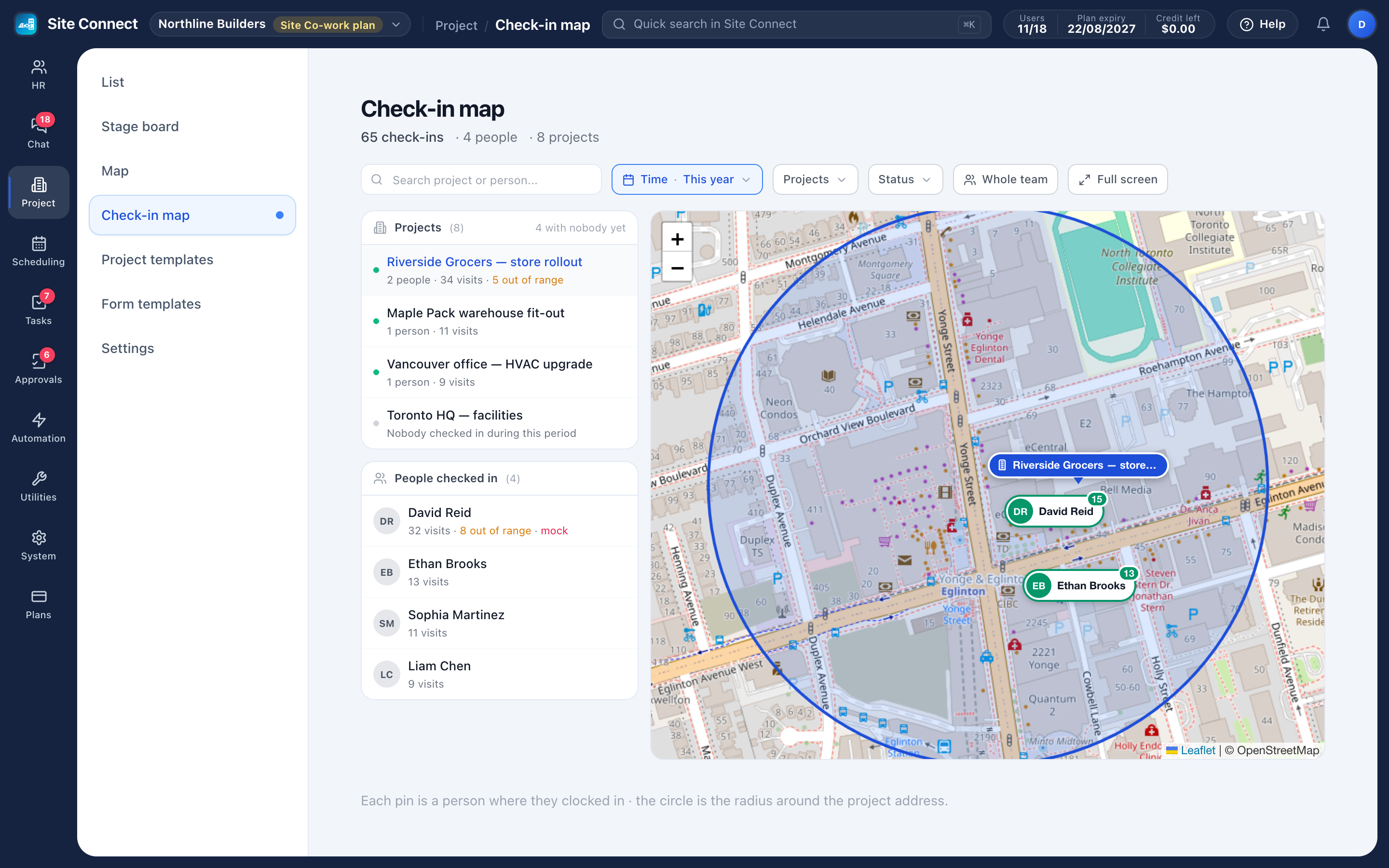
Turn on check-in for a project and crews check in on the task when they arrive. The app compares the phone's location with the project address and starts the timer — and, if you choose, refuses the check-in when someone is too far away.
- A check-in radius per project, 200 m by default
- Check-in forms answered before the timer starts
- Auto-close for forgotten check-ins, after your working hours
- An optional daily clock-in with rules in layers, and a monthly timesheet that exports to Excel
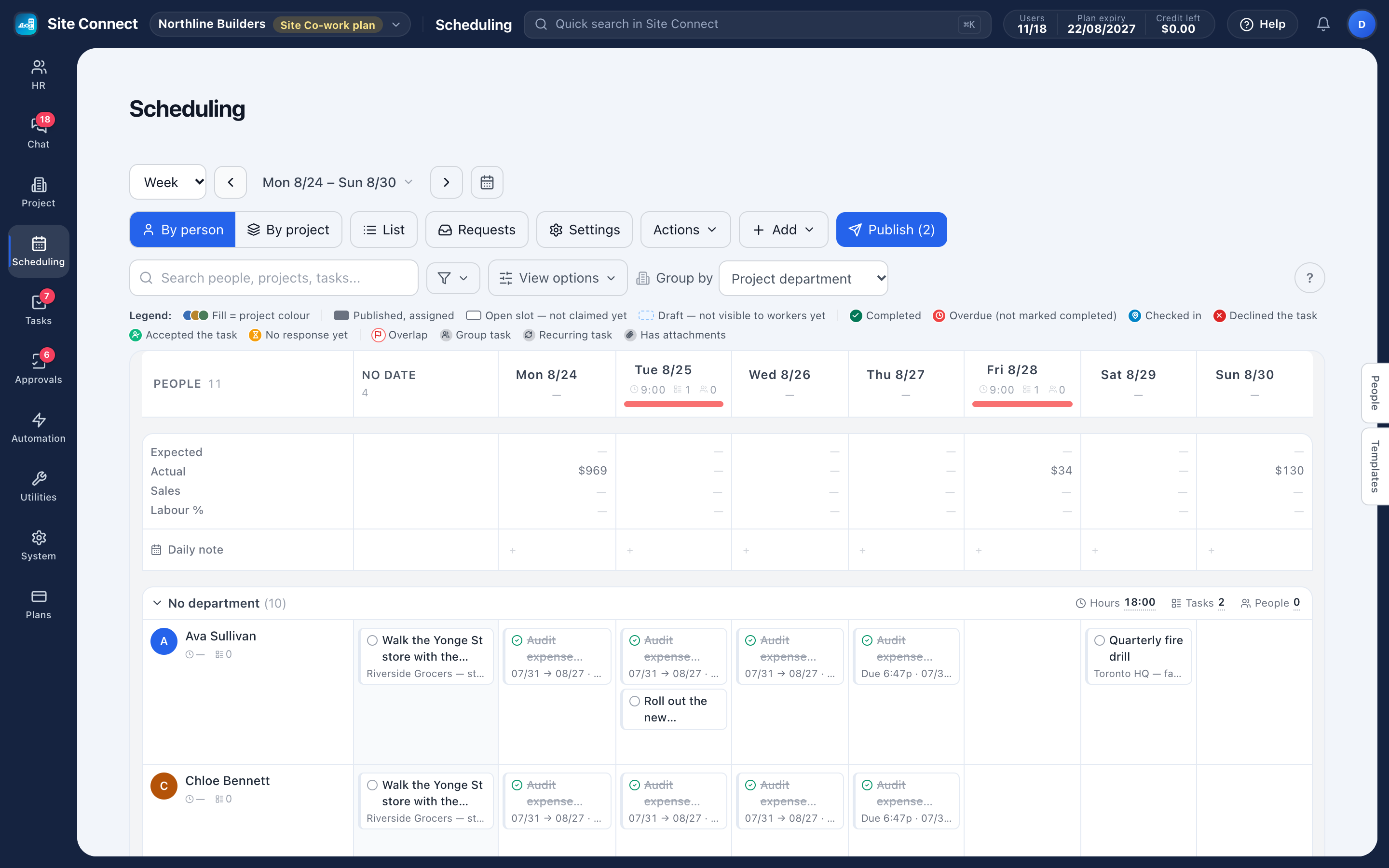
The week, on one board
Rows are people or projects, columns are days, cards are scheduled tasks. Copy last week when the pattern holds, check the week for problems, and publish it to your crew's phones.
- Drafts stay with schedulers until you publish
- The pre-publish check flags overlaps, approved leave and long days
- Open slots are taken from the mobile app, with manager approval if you want it
- Can't make it? A worker asks for cover and a coworker takes the task
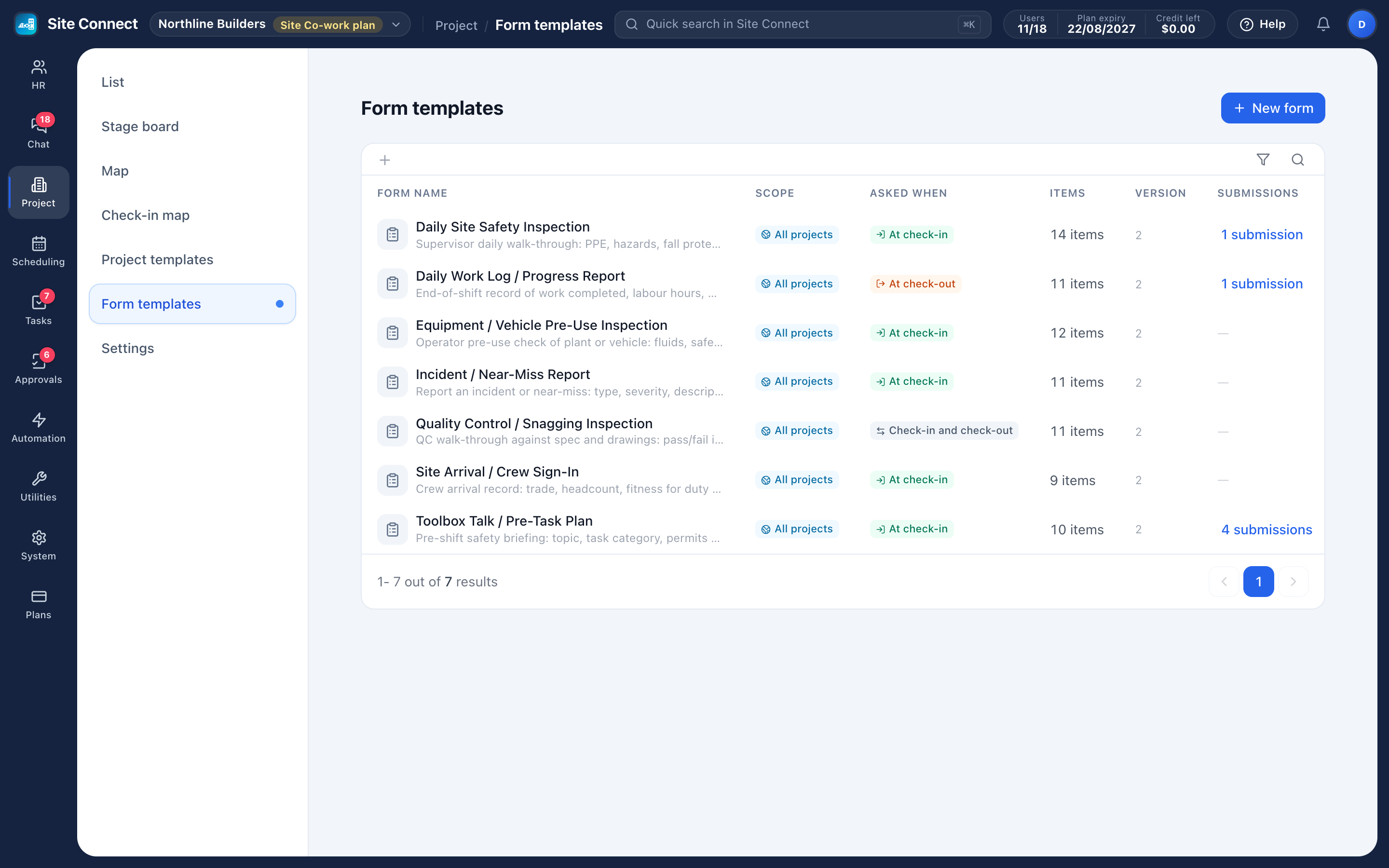
Safety paperwork, filed at check-in
Build the forms your crews actually fill in — hazard assessment, toolbox talk, fit for duty, pre-use equipment inspection — then decide which projects use each one, and whether it is asked at check-in, check-out or both.
- Pass/fail, photo, signature, text, number, yes/no and choice items
- Required items must be answered before the timer starts
- Failed items are flagged on the visit card
- Submissions keep the form version used at the time
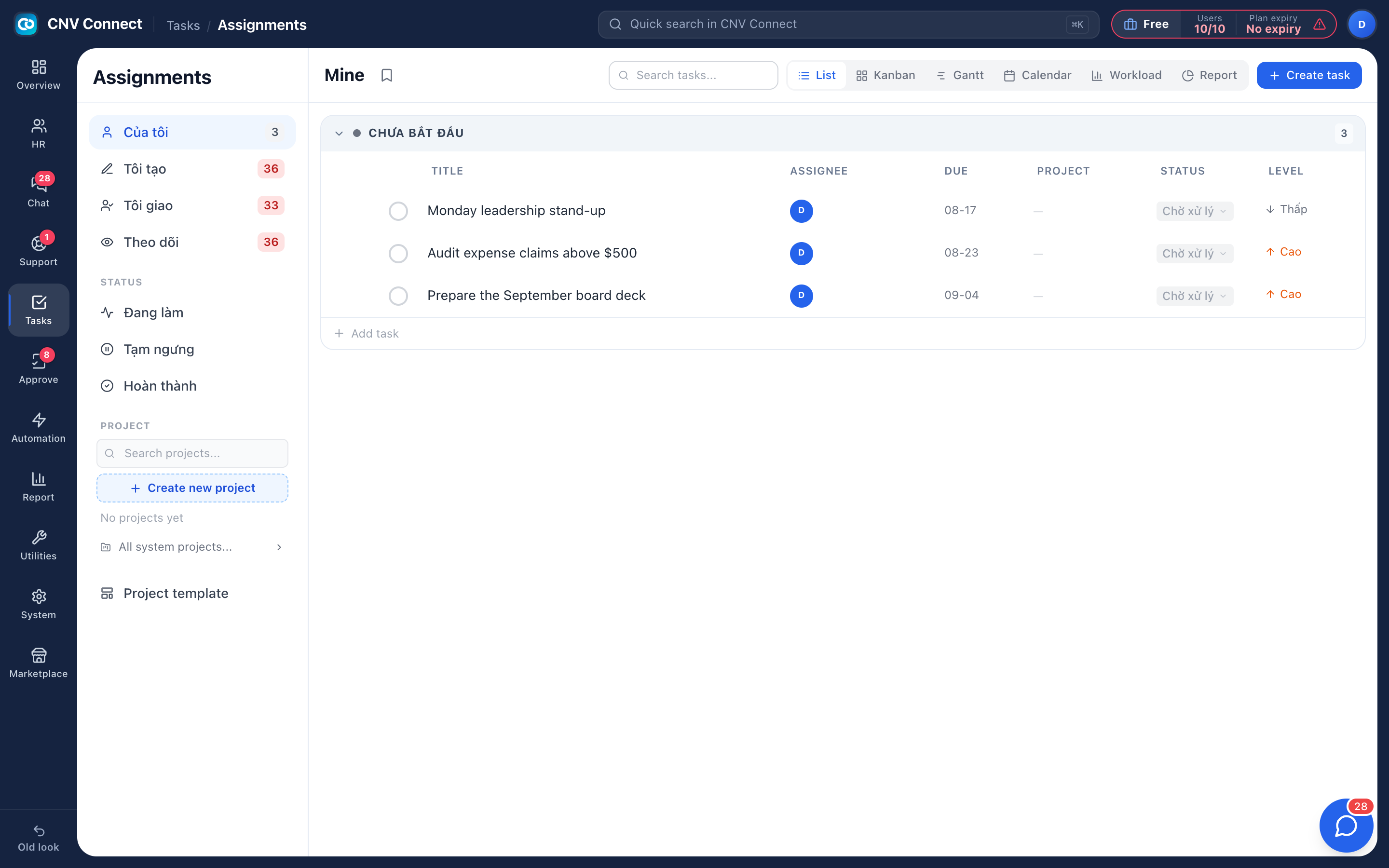
The office side is in the same workspace
Tasks, approvals, chat and HR run on the same people and permissions — no second login, no second bill.
Tasks
List, kanban, gantt, calendar and workload views over one backlog, with subtasks, photos, files and comments.
Approvals
Leave, overtime, expenses, business trips — your own forms, your own signature chain, full history.
Chat
Groups and direct messages, files, pinned notices, and a company group that adds new hires automatically.
People & HR
Employee records, contracts with expiry warnings, leave requests and yearly balances.
Teams that work away from a desk
The same product, set up the way your industry actually runs a day.
Construction
Crews across sites, hazard assessments before work starts, equipment that moves with the job.
Field service
Technicians on the road: job checklists, proof of visit, hours logged per job.
Logistics & warehousing
Schedules that change weekly, equipment checks at check-in, hours per site.
Facilities & security
On-site verification, check-in and check-out forms, cover for missed shifts and a chain of approvals that holds up.
Retail & hospitality
A schedule per location, open shifts staff pick up, opening and closing checklists.
Professional services
Client work as projects and tasks, approvals for expenses and leave, one place for the paperwork.
Live this week, not next quarter
There is no implementation project. Create the workspace, add your people, set up your projects, and the app does the rest from day one.
- Create the workspace Sign up, verify your e-mail and phone, name the company.
- Invite your people One by one or from a spreadsheet.
- Create your projects Address, team and check-in settings.
- Publish the schedule Everyone sees their tasks on their phone.
Pay per user, mix plans in one company
The crew on SiteConnect Base at $3 a user, the supervisors on Site Co-work with AI at $29 — instead of a time-clock app for everyone and a photo app for the supervisors.
Two apps, 10-person crew
- Workforce app, 10 users $59
- Photo app, 2 supervisors $149
- Apps to learn 2
Site Connect, 10-person crew
- 8 on Base (3 free) $15
- 2 on Site Co-work, with AI $58
- Apps to learn 1
Published monthly list prices, September–October 2026. Feature sets differ.
Get your whole team on one system this week
SiteConnect Base is free for your first 3 users — no card, no sales call, no migration project.
Free forever for 3 users · then $3 per user a month · no credit card