 Site Connect
The employee file everything else points at
Records, contracts and renewals, departments, the org chart, leave requests and yearly balances — the master list that projects, scheduling, assets and approvals all read from.
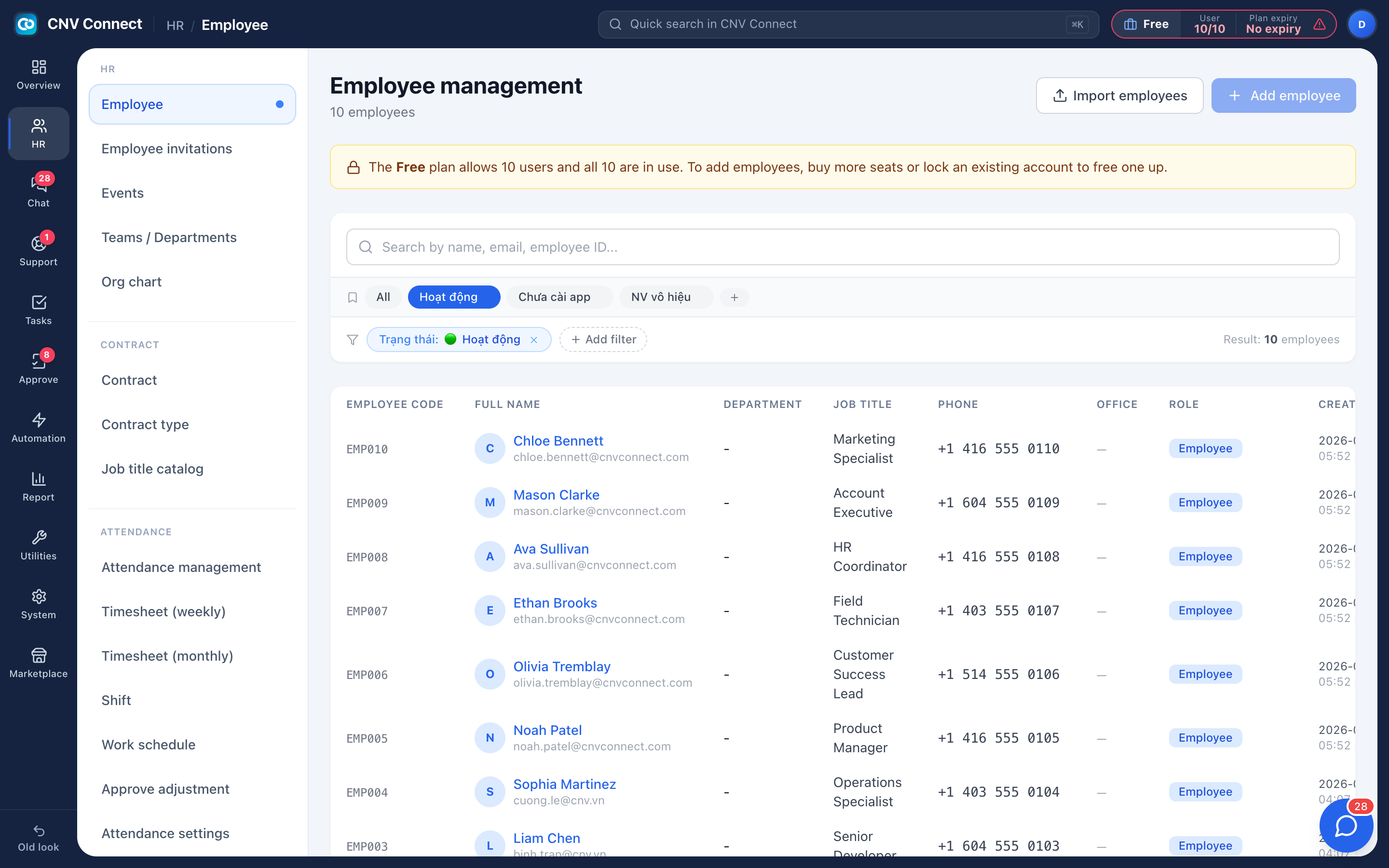
One record per person
Contact details, emergency contact, contracts and appendices, position and team history, and an activity log.
Contracts with dates
Working queues for expiring soon, overdue, expired and missing signed copies.
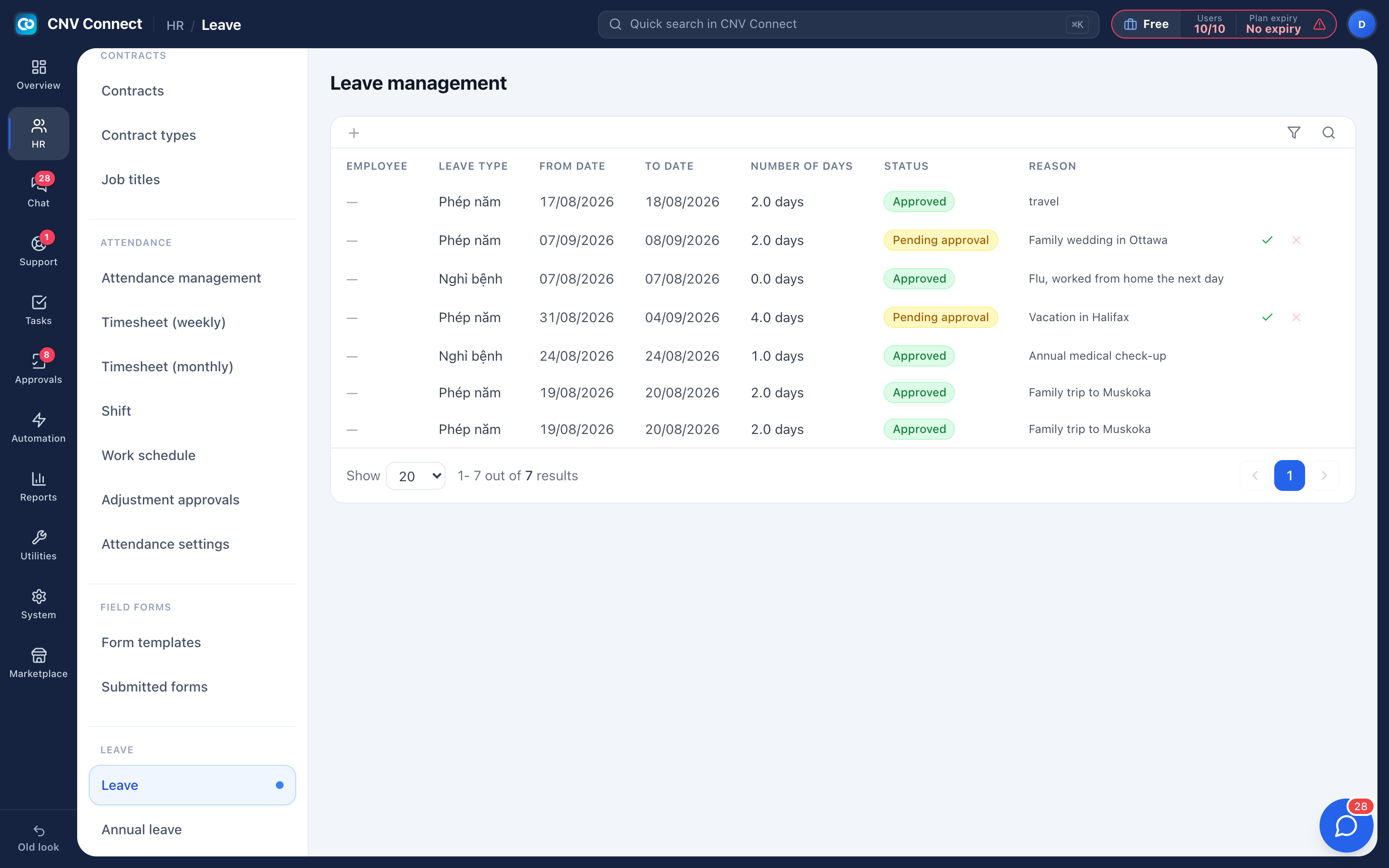
Leave that adds up
Granted, carried forward, adjusted, used and remaining — each one a visible column.
Structure that routes
Departments carry the manager approvals are sent to; the org chart documents the reporting lines.
Onboarding without a checklist in somebody's head
Create the record, invite the person, put them in a department, schedule their first tasks, hand over the equipment. Every one of those is a page in the same workspace, and each leaves the trail the next audit will ask for.
- Import an existing spreadsheet; rows are matched by email, so people already in the workspace aren't duplicated
- Invitations by e-mail or a shared link; each person who joins uses one seat
- Deactivating a leaver keeps their history and frees the seat
Leave that agrees with the timesheet
Requests route through the approval chain of their template, usually to the direct manager. Approved days appear on the monthly timesheet under their code and stop the person being counted absent — which is why approving promptly matters more than it looks.
- Accrual policy, bulk grants and per-person adjustments with a reason recorded
- Public holiday calendar per year
- Balances are arithmetic you can show the employee: granted + carried + adjusted − used
How teams set this up
- Add your people, one by one or by import.
- Create departments and name their managers.
- Record contracts; the Expiring soon and Overdue views flag renewals.
- Set the leave accrual policy and let requests flow through approvals.
Frequently asked
Is an employee record the same as a user account?
Adding an employee creates their HR record and their sign-in in one step. An invitation lets them choose their own password instead.
Can managers see only their own team?
Yes — permissions are per role, and some pages are additionally scoped to the viewer's team.
Can we delete somebody who left?
Deactivate them instead. Deleting would orphan check-in, timesheet and approval history that you may need.
Works with
Approvals
Leave, overtime, expenses, business trips, attendance corrections — design the form, decide who signs and in what order, and let the system notify everyone.
Time clock & check-in
Crews check in on their phone when they arrive at a task, and their hours count from that moment.
Assets & equipment
Laptops, tools, vehicles and phones with a handover log — plus the online accounts and subscriptions you pay for every month.
Get your whole team on one system this week
SiteConnect Base is free for your first 3 users — no card, no sales call, no migration project.
Free forever for 3 users · then $3 per user a month · no credit card