 CNV Connect
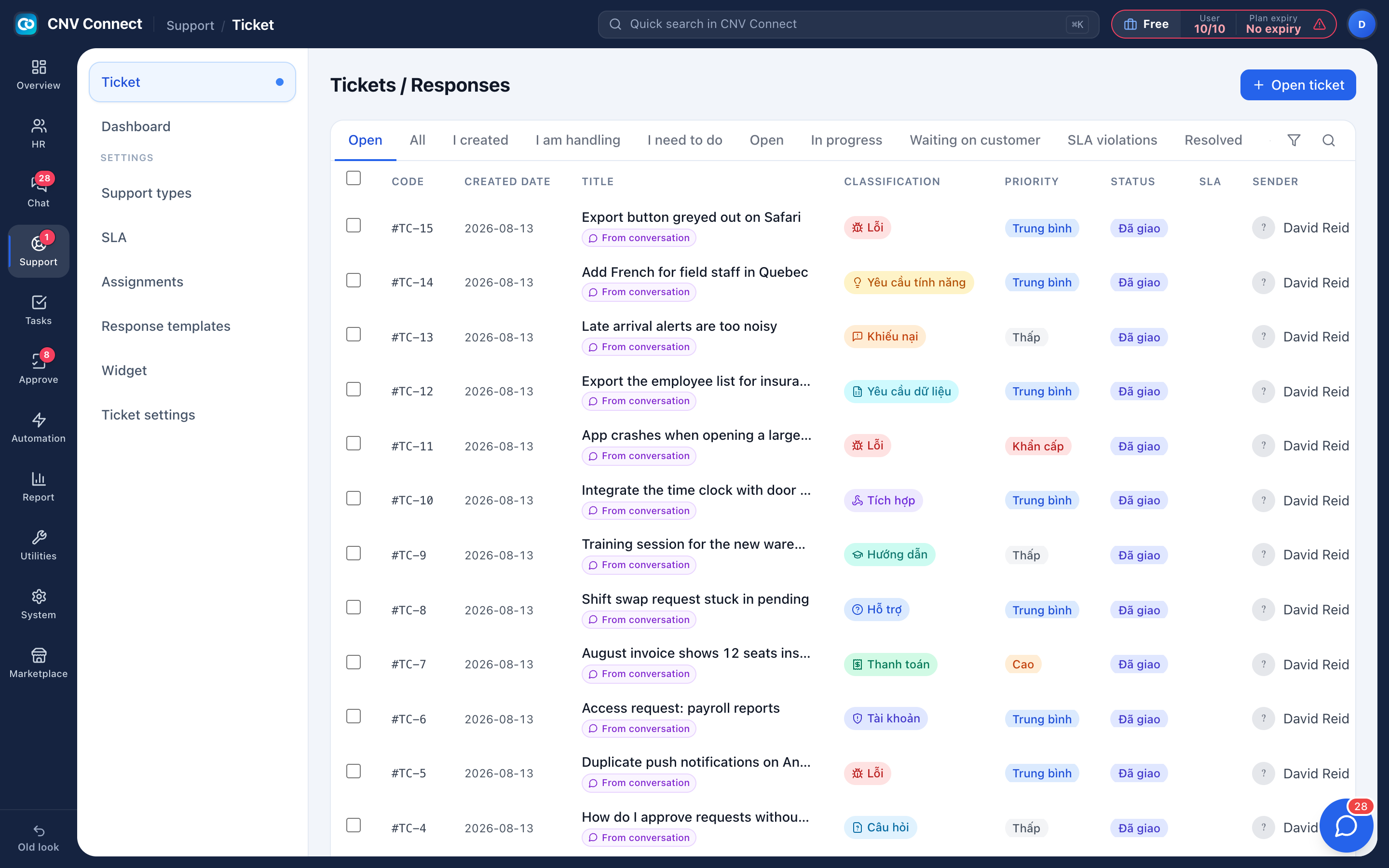
A queue with a clock on it
Every request from a customer or a colleague becomes a ticket with an owner, a priority and an SLA countdown — so "we will look into it" has a deadline.
SLA per priority
First response, resolution and escalation targets, counted around the clock or in business hours only.
Assignment rules
Route by category, priority or source — to a person, a team, or round-robin across a group.
Internal vs customer
Two reply modes in one box: a note the team sees, or a message the requester receives.
Widget for your site
Issue a key, paste a snippet, and visitors raise tickets without e-mailing anybody.
The agent view holds everything
Status control, the conversation, reply templates, attachments, the customer record it belongs to, tags, participants, and a response-time panel with ticket age, first response and average gap. Work that needs another day becomes a real task, attached to the ticket.
- Saved replies inserted by name or short code
- Waiting-on-customer pauses the resolution clock in the reports
- Reopening keeps the original code and the whole history
- Auto-close after resolution, with a reminder before it happens
Know where the queue is slipping
The support dashboard splits a period by status, priority, day, agent and product tag — and the queue itself has a one-click filter for SLA violations, which is the list worth reading first every morning.
- Volume against assignees shows load imbalance immediately
- Classification counters only add up if agents tag tickets — which the dashboard makes obvious
- Alert a manager when a ticket is reopened too often
How teams set this up
- Create your support categories and SLA policies.
- Add assignment rules, ending with a catch-all.
- Publish the widget on your website.
- Work the queue sorted by SLA, review the dashboard weekly.
Frequently asked
Can staff raise tickets internally?
Yes — IT and HR desks work exactly the same way, with the requester being an employee.
What stops the first-response clock?
The first customer response. Internal notes do not, which is deliberate.
Can tickets come from e-mail and chat?
Yes, alongside the widget and tickets raised by agents on somebody's behalf.
Works with
Task management
List, kanban, gantt, calendar and workload — the same tasks, arranged for whoever is looking: the person doing the work, the manager balancing it, the director tracking the deadline.
Automation
Flows watch for an event — a task assigned, a ticket created, a date reached — and then notify, assign or update, without anybody remembering to.
Reports
Attendance, headcount, contracts and assets — computed live from what your teams filed, not typed into a second spreadsheet.
Get your whole team on one system this week
The Free plan covers 10 users with every module switched on — no card, no sales call, no migration project.
Free forever for 10 users · no credit card · set up in an afternoon